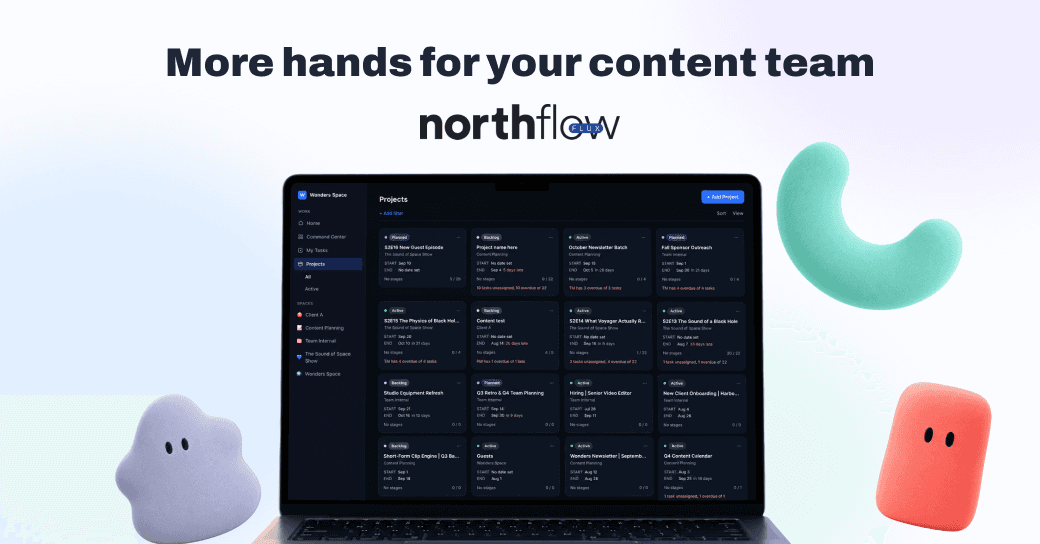
Back in April we told you we were rebuilding Northflow from the ground up, and we explained why. Not a redesign, not a feature release. A different architecture underneath the whole product.
That rebuild is now live and open to everyone. Here is what actually changed, and what it means for how you run your shows.
Why we rebuilt instead of shipped features
The original Northflow was built around managing work. You had projects, tasks, stages, and a place for everything to live. It worked, and for a lot of agencies it was already better than a Trello board bolted to a Drive folder and a Calendly link.
But it still assumed a person would do every piece of the work. Someone opens the task, someone writes the show notes, someone chases the guest for a headshot. The system tracked the work faithfully. It never did any of it.
To change that, we could not just add an AI button to the sidebar. The system needed to understand what work is, who can do it, and what finished looks like. That meant new primitives underneath: people, agents, goals, and stages as first-class things rather than labels on a card.
That is Northflow Flux.
What this means in practice: you are not learning a new tool. Spaces, projects, episodes, forms, booking, and assets all still work the way you expect. What changed is what can be assigned to do them.
Agents work like teammates, not like automations
The core idea in Northflow Flux is simple. An agent is assigned to work the same way a person is.
You do not build a flow. You do not connect trigger blocks or map fields between apps. You assign the work, the agent picks it up, and it hands back a draft for someone on your team to review.
This is deliberate. Automation tools break because they are brittle: one field changes and the whole chain fails silently. A teammate does not work that way. A teammate reads the context, does the thing, and tells you when something looks off.
The approval step is not a limitation we plan to remove. Agents draft. Your team approves. On client work, that is the only version of this that is safe to ship.
Six agents you can assign today
Each one handles a different part of the workflow. Together they cover the stretch from finding a guest to having content ready to publish.
Getting guests booked
The Guest Recruiter Agent takes the guest list you provide, prepares personalized outreach, follows up, and tracks replies as conversations move toward booking. You still decide who to approach. The agent handles the part that usually dies in someone's drafts folder.
The AI Intake Agent picks up from there. Your guest gets a link, talks with an agent, submits what you need, and signs the release. No account, no form nobody fills in, no producer sending a fourth follow-up asking for a headshot.
Those two together close the gap most agencies lose the most hours to.
Keeping production moving
The Project Manager Agent tracks what needs attention across your production workflow and keeps work from stalling. It is the agent that notices the episode sitting in the same stage for nine days when nobody else did.
Turning the recording into content
The Transcriber Agent turns your audio and video into transcripts your team can use throughout the rest of the workflow. Not a standalone transcript in a folder somewhere, but the source the other agents build on.
The Blog Writer Agent turns episode content into blog drafts that are ready to review, so nobody starts from a blank page.
The Newsletter Writer Agent turns the episode into newsletter content ready for your team to review, edit, and send.
Every one of these hands back a draft. None of them publish anything on their own.
What is coming next
Two more are in progress.
The Podcast Agent is a podcast-focused assistant that helps move the work around a show forward. The Publisher helps move approved content through the final steps toward publishing.
We would rather tell you what exists than what is planned, so we are not putting dates on these. If there is a specific agent that would change your week, tell us. That feedback is genuinely what sets the order.
Spaces, not seats
The other significant change in Northflow Flux is how billing works, and it matters most if you run an agency.
Plans include a set number of spaces. They do not cap how many people can be in them.
This means you can bring in every producer, editor, VA, and client contact without doing seat math before every invite. The person who only logs in twice a month to approve show notes does not cost you the same as your lead producer. Your clients can sit inside the workspace instead of getting a weekly summary email.
Agent work runs on credits, consumed per task or per minute depending on what the agent does. Transcription is metered by audio length. Task-based agents consume per run. You can see what is being used and where.
Old model | Northflow Flux | |
|---|---|---|
Pricing basis | Per user | Per space |
Adding a collaborator | Costs a seat | Free |
Adding a client | Costs a seat | Free |
AI work | Not available | Credits, per task or per minute |
The reason we did this: agency production involves a lot of people who touch the work occasionally. Charging per seat pushes you to keep those people out of the system, which is exactly where the chaos comes from.
Getting started
If you already have a Northflow account, everything is there when you log in. Nothing needs migrating.
If you are new, the fastest way to understand it is to set up one show. Create a space, add a show, pull the episodes from your RSS feed, and put one real episode through the pipeline. Assign an agent to a piece of it and see what comes back. That takes about fifteen minutes and tells you more than any feature list.
For agencies running several client shows, a walkthrough is usually faster. We can look at how your production actually works and show you how it maps, including the parts that will not map cleanly.
Start free or book a walkthrough